Welcome to our ‘how to’ guides where you can find step-by-step instructions on navigating through our website! The Alfa Travel website underwent a huge renovation last year to make it a better experience for our customers, and was reintroduced in January 2019. Follow these steps to discover the new design, adapted to suit the needs of our users.
Select a guide below to learn more
Find a Holiday
This guide demonstrates how to search for a holiday, filter your results to suit your needs and go to the booking page
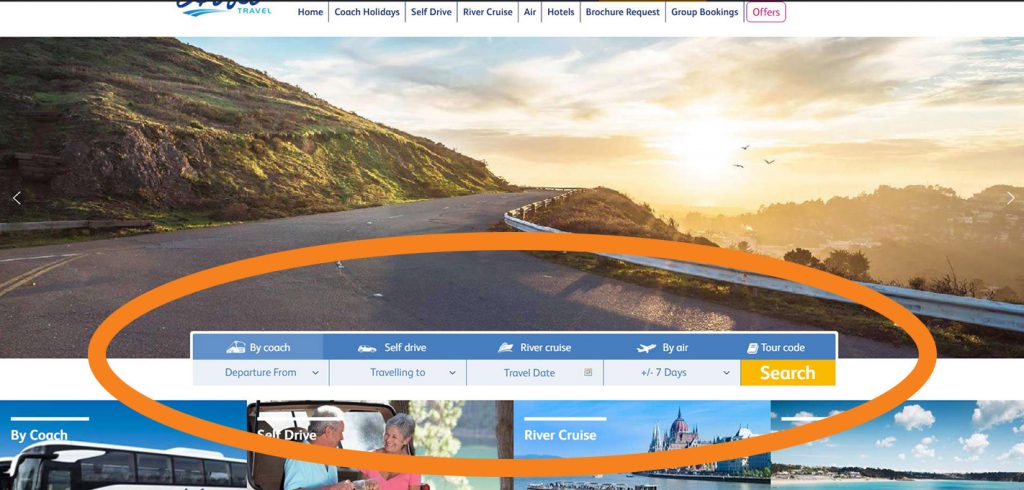
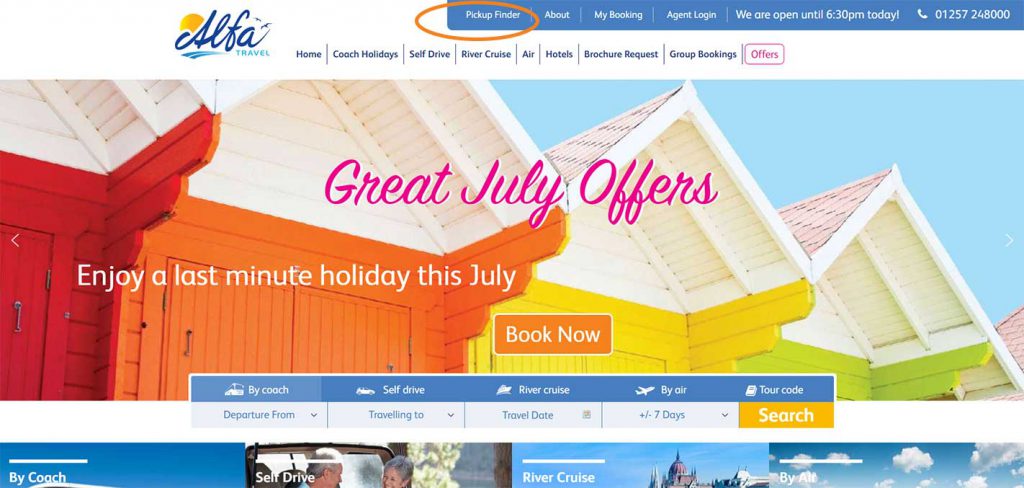
The presented search bar has five headings: By coach, Self drive, River cruise, By Air and Tour code.
Select a heading for the type of holiday you want. Selecting ‘Tour code’ will allow you to enter the tour code and present results for that specific code.
Click the yellow ‘Search’ button to present results.
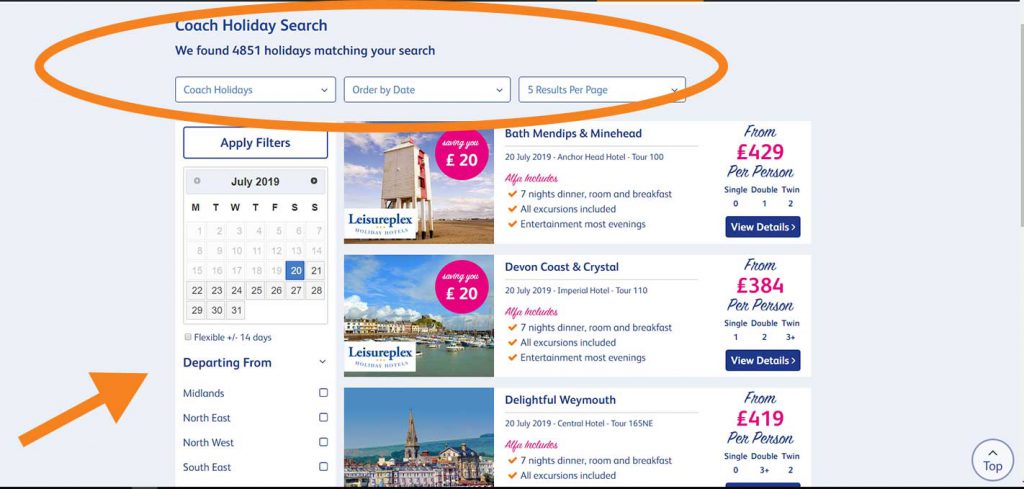
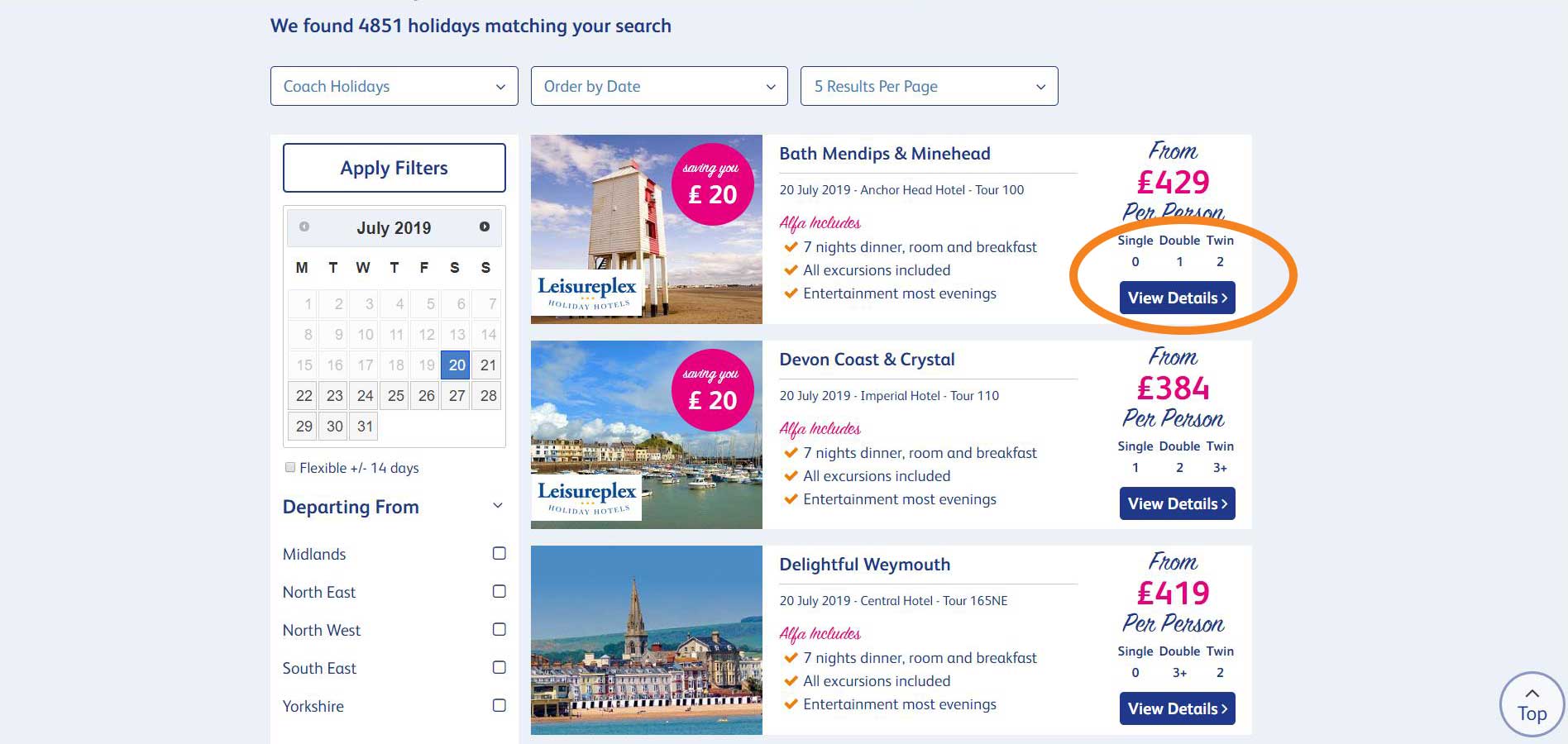
This is the results page
You can organise your results page using the circled panel. Simply click on the arrows to a drop down list of options.
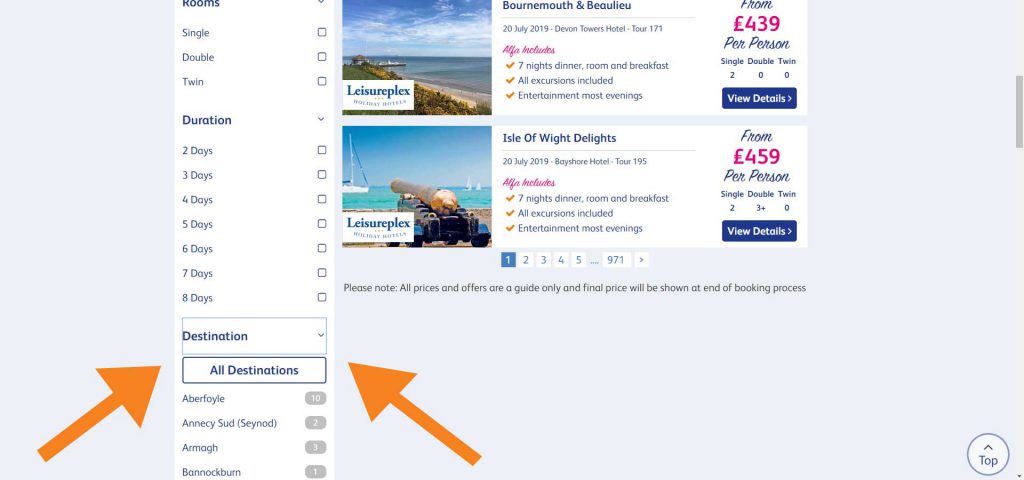
You can filter the results page, shown by the arrows, according to date, location you are departing from, type of room, duration and destination.
Scroll down to find each filter.
You can click on multiple boxes for the same category to display varied results. For example, you can select both 3 Days and 4 Days duration and the results will only show you holidays with 3 and 4 Days duration.
The room availability can be found below the ‘From’ price, highlighted opposite.
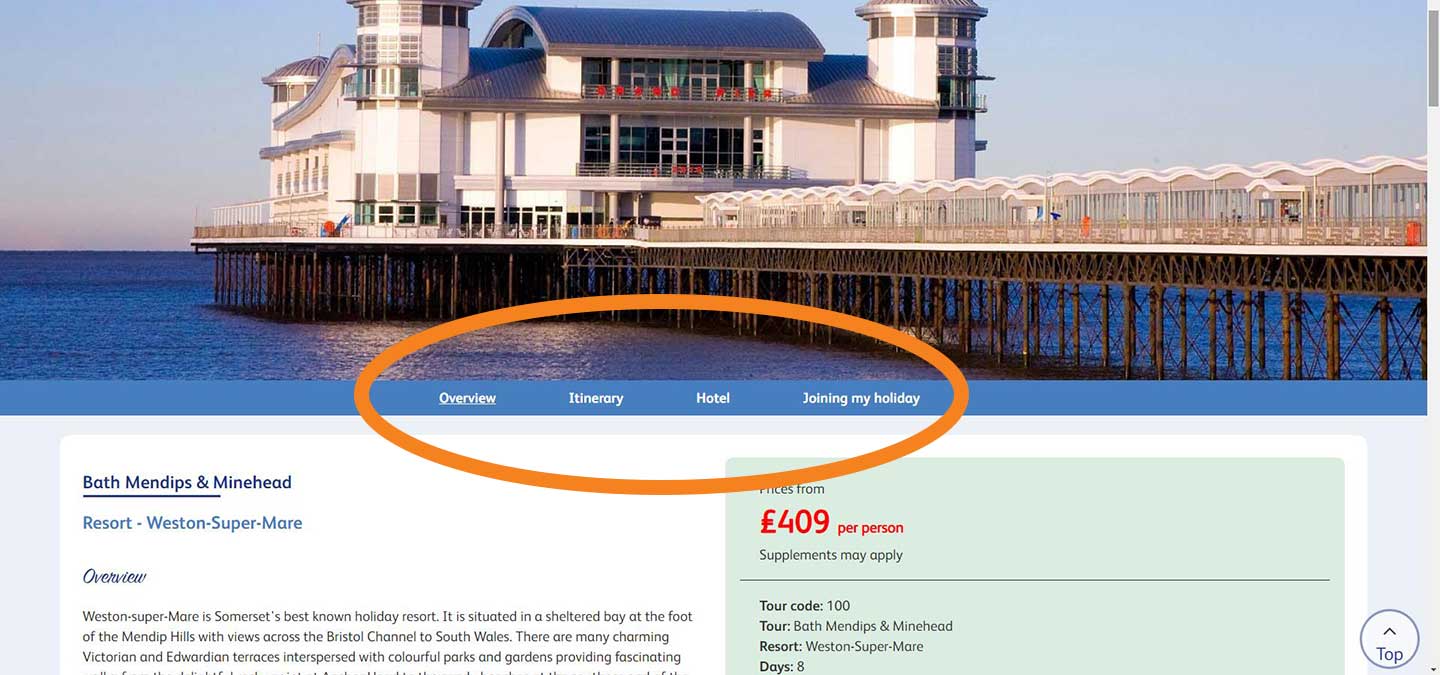
Use the highlighted tabs to find information about the resort.
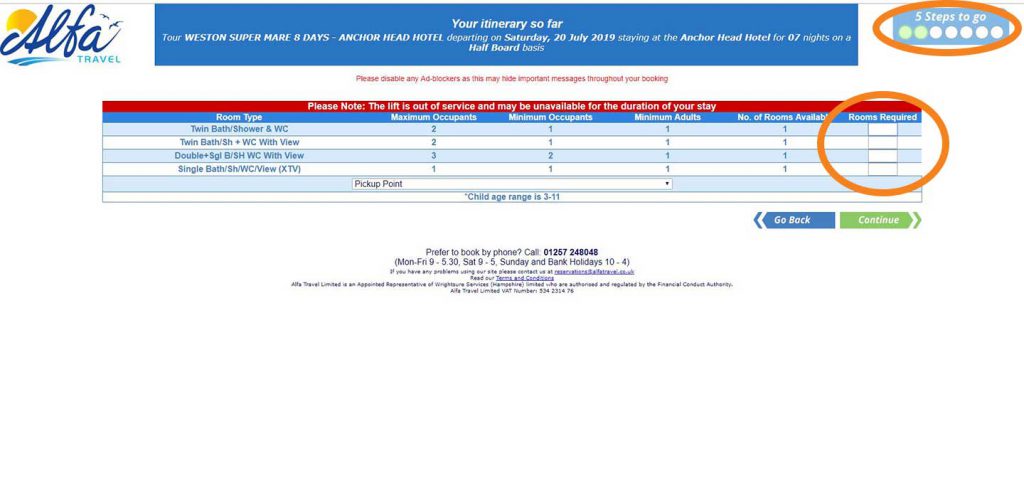
Enter number of rooms required in the highlighted column, for ‘Room Type’ found in first column.
The top right box highlighted shows you how many steps are left of booking process.
Click ‘Continue’ to continue booking process.
Menu Options
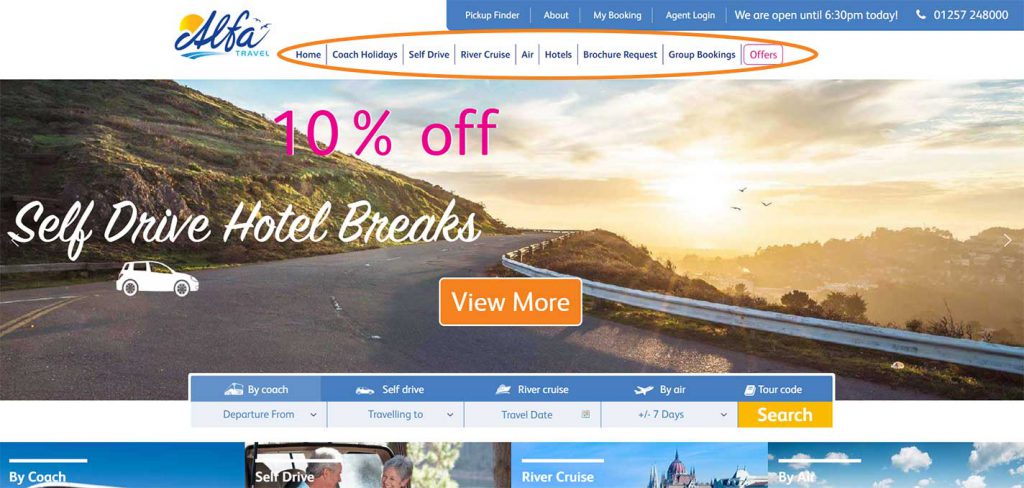
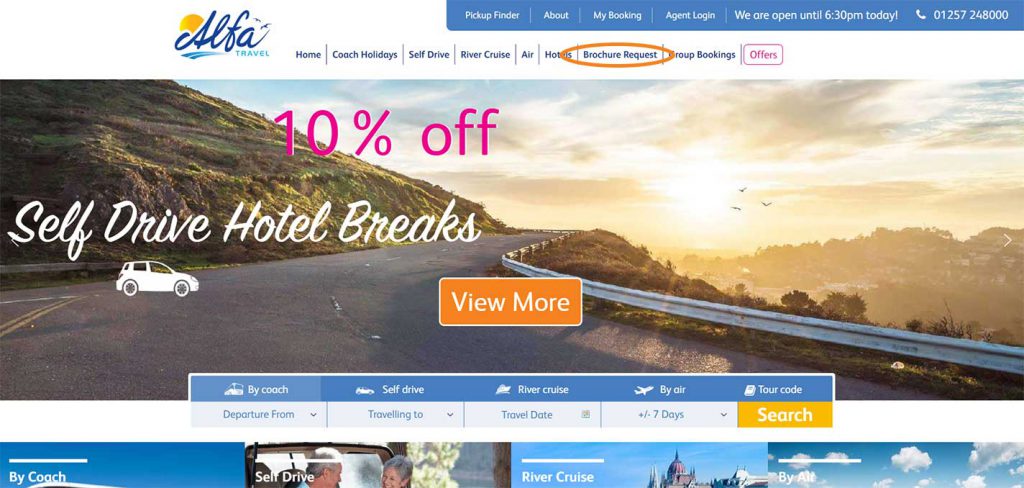
The new menu panel has shortcuts for you to easily navigate to different pages. This panel is visible on all pages so you can click on a tab at any time.
Request a Brochure
The Brochure Request button can be found on the menu panel. Simply click to go through to the brochure request page.
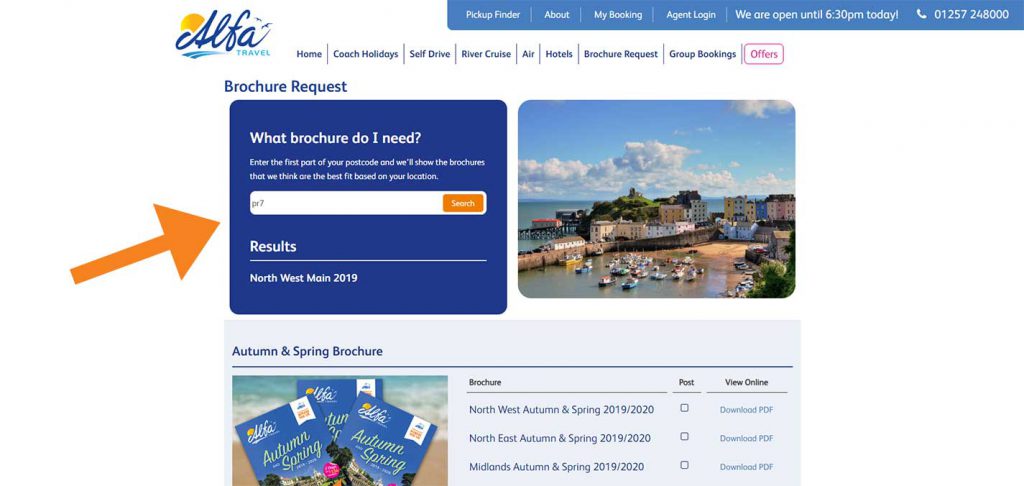
Use the search box to find a brochure for your area. Enter the first part of your postcode and click the search button.
The name for a brochure from your area will appear underneath.
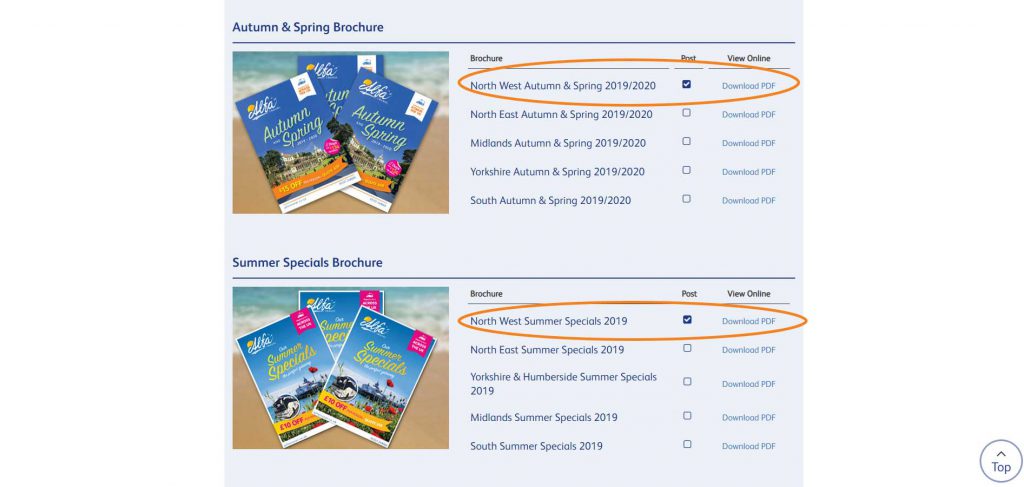
Scroll down to find all relevant brochures.
Tick the box under the ‘Post’ column to select all brochures you would like to have posted to your home.
Click on ‘Download Brochure’ if you would like a digital copy.
Scroll down to find more brochures.
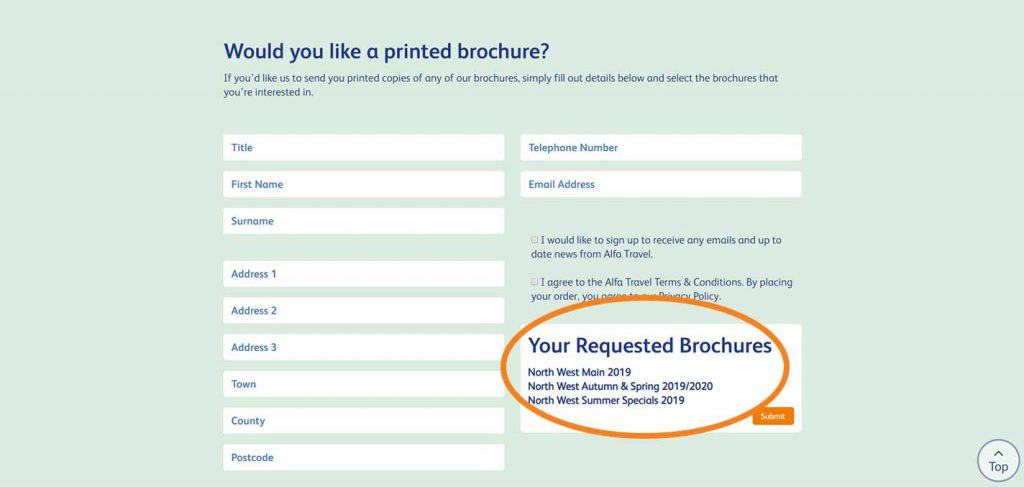
At the bottom of the page you can find this box. This is where you can find all your selected brochures. Enter your details on the form.
Use Pickup Finder
You can find the ‘Pickup Finder’ on the header of the page, highlighted opposite.
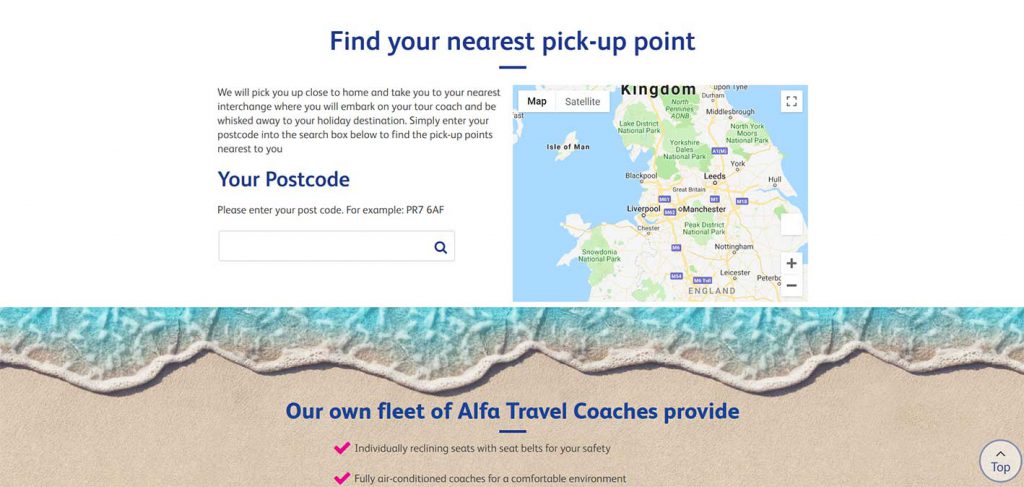
Enter your postcode to find your nearest pickup point.